The flash strobe assignment is a neat way to learn how to use lights to create your own look. By moving the flash, and placing it at different angles I can experiment with different effects of light and shadow. I enjoy this effect because I can do all the work when I am taking the photo. By taking the photo on a black background and just lighting what I want, I get the photos below, where everything but what I lit is balck without any adjustment on the computer.
Tuesday, February 12, 2013
Tuesday, December 18, 2012
Digital Assignment #8: Polaroid Transfer mimic
The polaroid transfer has an old-timey look with rough borders. The rough border comes from the ink that gets peeled off when the image is transfered. Both of these photos were just photos from around my house of the christmas decorations and presents. In the second picture the mimic is more obvious than in the first. In the second one the whites take ona brownish spotted look that is a characteristic of polaroid transfers.
Friday, December 7, 2012
Digital Assignment #7: Cross Process Mimic
This is another project that mimics a film technique. Cross processing is when we develop film in a different developer than it's meant for and this alters the colors. Digitally we can alter the colors of a photograph and you can get a warmer of cooler affect from this color shift. m first photo I shifted to have a warmer look. The second one is a little of a mix but slightly towards the cooler side.
Digital Assignment #6: Glass Plate Mimic
This assignment is a mimic of a film project. With the film you would create a polaroid and peel the image away from the backing and then transfer it on to a glass plate. You can get the same look digitally by overlapping the photo with an old-time border. I then changed the picture to make them black and white or sepia.
Thursday, December 6, 2012
Digital Assignment #5: Carter Mountain
When we went to Carter Mountain we had to tell a story with ten photos. So I went up with my family and photographed my brothers' experience. We also had to take seven additional photos that contained different elemements of photography. Carter Mountain is a nice place to take photos at because there is so much you can use to change up each picture.
Creative Portrait
Lines
Motion Blur
Rule of Thirds
Short Depth of Field
Stop Action
Wide Depth of Field
Story 1
Story 2
Story 3
Story 4
Story 5
Story 6
Story 7
Story 8
Story 9
Story 10
Roll #7: Hand Coloring
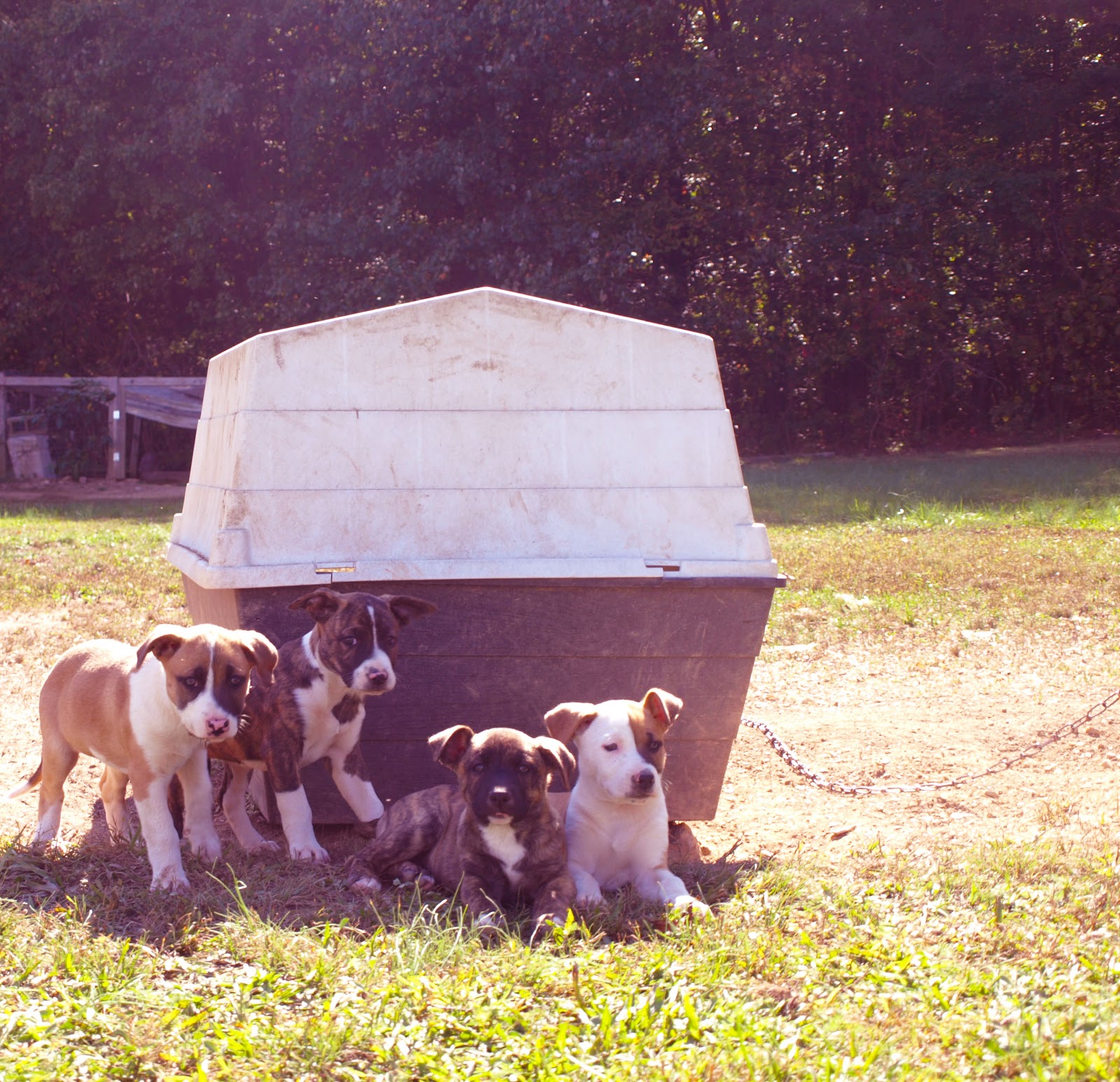
Hand coloring is another one of my favorite projects, the oils are fun to work with and you can bring out any part of the photo you want to. Both of these photos I took at home. I went outside to see my neighbor's puppies and took my camera with me. I knew I was taking pictures for hand coloring and tried to get the puppies to play on the slide or with their balls. I then moved on to photograph my goats and photographed toffee with the gate because it would add an aspect to color and framing.
Aperture: f/5.6
Exposure time: 5 seconds
Aperture: f/5.6
Exposure Time: 3seconds
Aperture:f/5.6
Exposure Time: 2.5 seconds
Tuesday, November 27, 2012
Roll # 6: Solarization
Solarization is one of my favorite projects. The outcome is a neat look. In solarization you expose a photo twice. The first exposure you adjust as you normally would for contrast, you then begin to develop it but then re-expose it to light getting the effect below. The first photo of my sister and the dandelion I hadn't taken for my solarization roll but when I began to think what I wanted to solarize I thought that it would make a good print. The second photo didn't turn out as well as I had hoped but I like the lens against the leaves and the rock.
Contact Sheet
Aperture: f/5.6
Exposure Time: 5 seconds
Dandelion
Aperture: f/5.6
Exposure Time 1: 6 seconds
Exposure Time 2: 6 seconds
Camera Lens
Aperture: f/5.6
Exposure Time 1: 12 seconds with Filter #4
Exposure Time 2: 12 seconds
Subscribe to:
Posts (Atom)